
Responsible Money
Spotting Online Payment Scams During Peak Selling Season

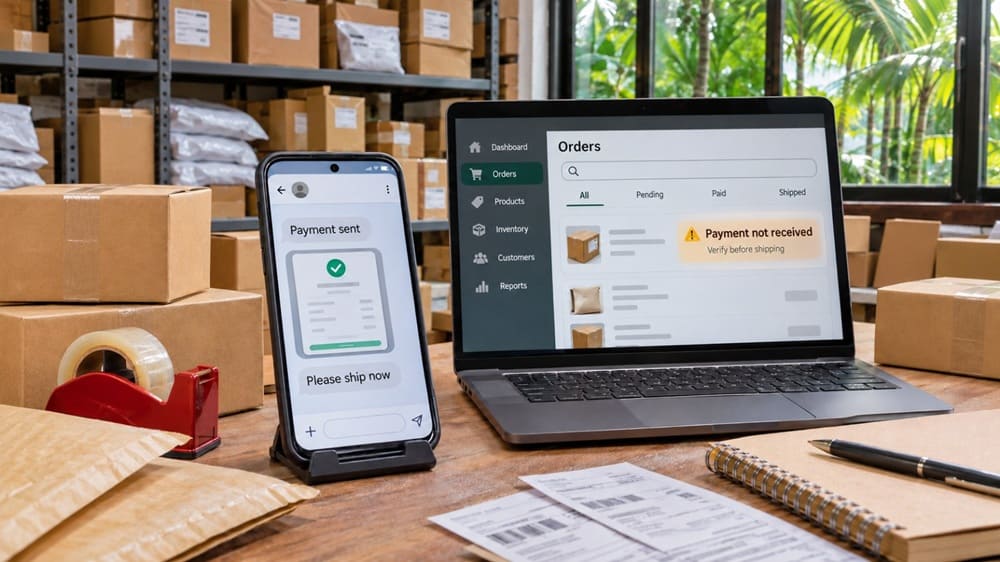
During the holiday rush, online sellers in the Philippines face a surge in orders and a surge in payment scams. One of the most common is the fake proof-of-payment trick: a “buyer” sends a convincing GCash, Maya, or bank-transfer screenshot, then pressures the seller to release the item before the money actually arrives.
Why the scam works
Peak selling season leaves sellers juggling chats, orders, riders, and delivery deadlines. Scammers exploit that pressure by pretending they have already paid, then urging sellers to ship immediately or hand over the item to the courier.
They may send an edited GCash or Maya receipt, a fake bank-transfer confirmation, a text message, or an email claiming that funds are “pending” or “on hold.” In some versions, they say the money will only be released after the item is delivered.
Red flags to spot
Be cautious if a buyer:
- Sends a payment screenshot but the amount does not appear in your actual GCash, Maya, or bank transaction history.
- Says the transfer is “pending” and asks you to ship first.
- Pressures you to release the item quickly, especially near a courier cutoff or during a promotion.
- Asks you to continue the conversation outside Facebook Marketplace, Carousell, Shopee, Lazada, or another platform.
- Claims you need to pay a “verification,” “upgrade,” or “release” fee before receiving money.
- Requests an OTP, password, card details, or account credentials. The National Telecommunications Commission warns the public against sharing OTPs and other private information.
- “Accidentally” overpays and asks for a refund of the difference.
Verify before you release
Do not rely on the buyer’s phone screen, a forwarded email, an SMS alert, or a screenshot. Open your own GCash, Maya, or banking app and check whether the money has been credited to your available balance and transaction history.
If the funds are not there, do not pack, ship, or release the item. A payment is confirmed only when it appears in your own account, not when the buyer says it was sent.
Safer selling habits
- Confirm payment in your own app before packing or handing over any item.
- Wait until the transfer is completed and available; “pending” is not the same as paid.
- Keep communication and payment within the marketplace whenever possible, where buyer and seller protections may apply.
- Check that the recipient name and account details match before accepting a GCash or bank transfer.
- Do not refund an overpayment; ask the buyer to reverse the transaction through the official app or cancel the sale.
- Save the listing, chat history, buyer profile, alleged receipt, and reference number in case you need to report the incident.
- Be wary of QR codes sent through chats or unfamiliar websites; GCash has warned users to verify recipient and merchant details before completing transactions.
If you get targeted
Stop the transaction, block the scammer, and preserve all evidence: screenshots of the chat, profile, listing, alleged receipt, and any reference numbers. Report the incident through GCash or Maya’s in-app reporting channels, and report serious fraud to the PNP Anti-Cybercrime Group or the Cybercrime Investigation and Coordinating Center.
The holiday rush should bring sales, not losses. Make one rule non-negotiable: no verified payment in your own account, no release of goods.


You must be logged in to post a comment Login